Email that keeps
work moving.
Make the whole system easier to understand, operate and recover—from the staff inbox to the sender nobody remembered.
Find the right starting point
Daniel Walls brings an operating perspective: trace the path, separate the responsibilities and leave the next person a system they can understand. His April 2026 published retrospective ↗ looks back at earlier email infrastructure work.
See the workplace, application and campaign sender paths

Better than
“try another tool.”
Choose the problem you need to resolve. We agree the question, evidence, scope, fee and success checks before paid work begins.
Mail isn’t arriving reliably
Delivery trouble, unexplained delays or a confusing authentication report.
Map the real sender paths—workplace, application and campaign. Review the agreed headers, trace records, receiver responses and sender-domain controls. Establish what the evidence supports before changing the setup.
You leave with: a path finding, sender inventory, prioritized changes and a safe way to check whether they helped.
The mailbox setup is changing
A migration, domain change or recovery plan needs a clearer owner.
Map users, aliases, shared access and connected senders. Define what moves, what needs another method and how a pilot, cutover and recovery will be judged.
You leave with: a scoped change plan, test criteria, responsibilities and an explicit exit or recovery path.
The inbox connects to other work
Shared mailboxes, requests and application messages need reliable handoffs.
Follow how a message becomes work. Clarify the responsible mailbox, sender identity, access, reply owner and exception path. Make reporting and recovery part of the design.
You leave with: a workflow map, ownership decisions and an operating checklist. Implementation and ongoing support are scoped separately.
Current receiver requirements differ by provider and volume. Google’s sender guidance ↗ is one reference, not a universal compliance certification. Authentication does not guarantee inbox placement.
Which question
sounds familiar?
A small example can make the first conversation more useful. Choose a situation to see where the review would start.
First, find which system sent it.
A staff mailbox, a website receipt and a subscribed campaign may follow different paths. Correlate one permitted message before changing DNS or switching providers.
Synthetic starting point: a customer receives normal staff mail but not a website receipt. That narrows the next trace; it does not diagnose the fault.
Green status.
Open question.
“Authenticated,” “delivered” and “read” are different claims. A useful explanation connects each claim to the evidence that could support it.
Fictional app-receipt case
Delivered—but the receipt is still missing.
One dashboard status. One unfinished customer task. What evidence would help next?
Customer: “I paid, but I can’t find my receipt.”
Sending dashboard: Delivered · example ID receipt-demo-1042
The case is open
A status isn’t the whole story.
Choose any evidence move. You can inspect the sender’s record, ask for a recipient-side search, or decide what to do next.
The missing piece
“Delivered” is already visible. Where the receipt landed—and whether a person read it—are still unknown.
- Receiver acceptanceKNOWN — receiver accepted
- PlacementUNKNOWN
- Human read / responseUNKNOWN
- AuthenticationUNKNOWN
All records and people in this case are fictional. Nothing is sent or searched.
Read the whole example
- Sending recordThe fictional SendGrid delivered event for receipt-demo-1042 establishes receiving-server acceptance. No authentication headers, folder location or human-reading evidence are supplied.
- Recipient-side searchA fictional mailbox search result matches receipt-demo-1042 in Junk. This additional artifact establishes placement in this example only. It does not establish a person read the receipt.
- Next stepBefore the search, request recipient-side evidence. After the search, help the customer locate the receipt and investigate the classification separately. Neither step promises a fix.

One event should not become four promises.
SendGrid’s delivered event means the recipient server accepted the message. It does not establish inbox placement. An open event also has limits: automated image requests and privacy features can affect the signal.
For an investigation, we ask what the available record actually proves—and what would answer the next question.
A received-server event is evidence of that event. It is not proof that a person saw, understood or responded to the message.
Does passing authentication guarantee delivery?
No. It addresses a sender-identity check. Receiver policy, recipient expectations, reputation and other factors still matter. Review the actual provider requirements for the affected path.
Can every message be traced all the way to a human?
No. Available records and access boundaries differ. We state the coverage gap instead of turning “unknown” into a successful outcome.
Sources: SendGrid event definitions ↗ · Google sender guidance ↗
A smaller unknown.
A safer next move.
The aim is a finding someone can act on. A new provider, extra DNS entry or bigger plan should not be the default answer to an unexplained failure.
Start with one permitted message.
Agree the symptom and time window. Match sender, recipient and message identifiers across the records you can legitimately access. Classify what the evidence supports, then choose the smallest useful test.
The handoff matters too: what was changed, how it was checked, what remains uncertain and who owns the next action.
What should the first conversation include?
A brief description of the symptom, the systems involved, when it happens and the business impact. We agree how to share any sensitive evidence after the scope and access are clear; do not send passwords or API keys.
What if the cause is outside our access?
Document the boundary and prepare a focused question or evidence summary for the responsible provider or administrator. A useful escalation is an outcome; a guessed root cause is not.
The workflow is an authored consulting method. Microsoft’s message-trace documentation ↗ illustrates why the actual time, identity and message record matter.
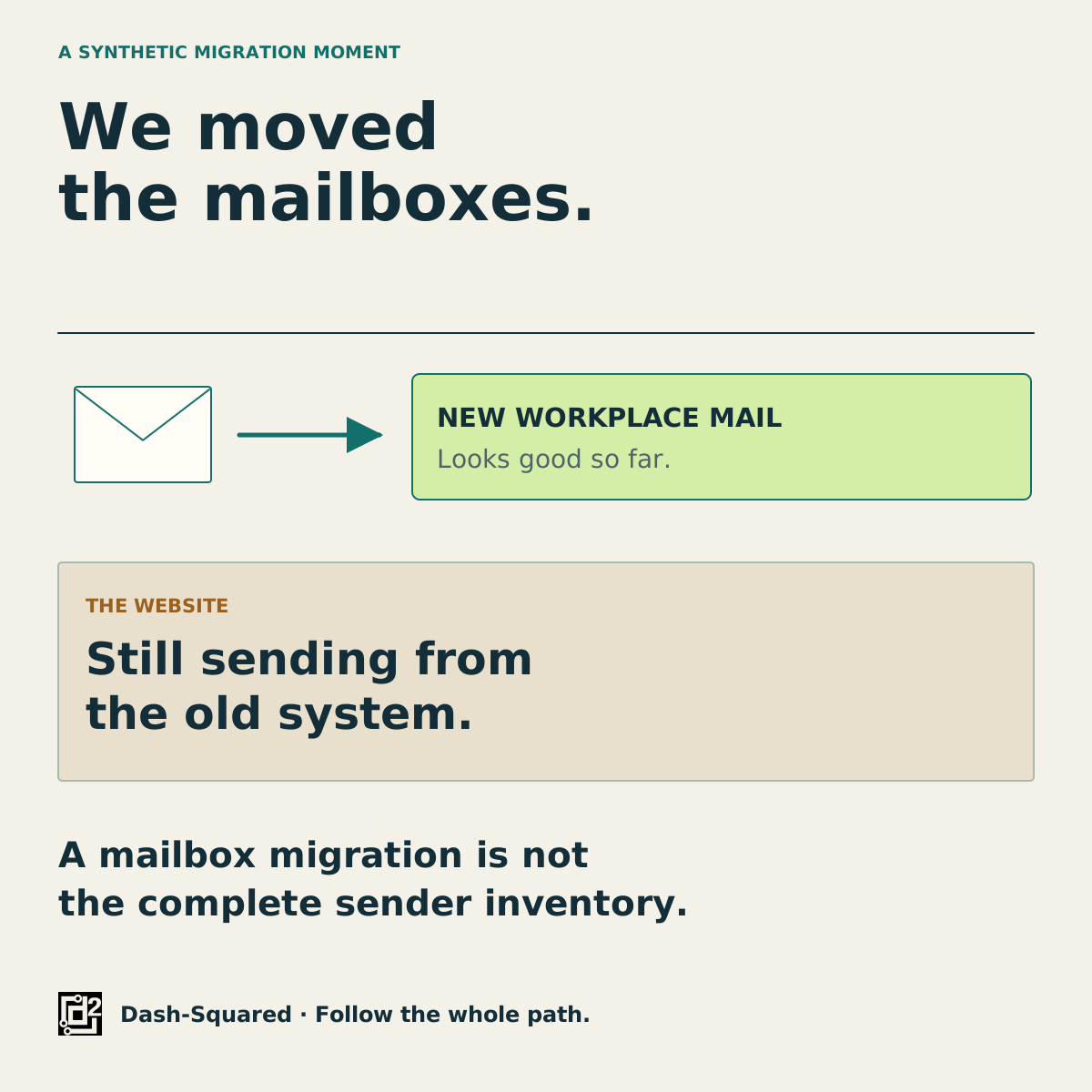
The mailbox moved.
Did everything else?
A migration can affect people, data and applications in different ways. The plan should make those differences visible before the cutover.
Preserve the work behind the address.
Check users and shared access, aliases, routing, connected application senders and the actual data scope. Agree a pilot and the signals that justify continuing, pausing or reversing the change.
Migration methods are not interchangeable. Microsoft’s IMAP migration guidance, for example, covers mail folders; contacts, calendars and tasks require other handling. That is one source-and-target example, not a rule for every migration.
Backup, migration and recovery answer different questions. Define what must be recoverable and test an authorized sample before relying on the plan.
Sometimes the shortest
explanation sticks.
Two fictional moments from the email world. Each earns its space by explaining a real boundary.

A longer view of business email.
More than twenty years in this work brings an appreciation for the whole operating path: identities, senders, data, feedback, handoffs and recovery.
Daniel’s published historical retrospective ↗ provides one perspective on infrastructure designed to be operated and recovered. The roles, historical integrations and contemporary work are labeled separately. This is Daniel’s experience history, rather than a current Dash-Squared client or endorsement list.
Bring the question.
We’ll scope
the next step.
What is failing, changing or becoming harder to operate? A short description of the systems and business impact is enough to begin.
Discuss an email question ↗Scope, fee, access and success checks are agreed before paid work. Implementation and ongoing support are separate. No inbox-placement guarantee.
Sources and explanation limits
Primary documentation checked November 8, 2026. Illustrations are authored synthetic models, not client systems or screenshots. Engagements are scoped to the actual systems, access and business need.
- Daniel Walls — Why Email Deliverability Fails at Scale (and How to Design for It) ↗
Daniel’s account of historical high-volume infrastructure, focusing on operating decisions and recovery.
- Google — Email sender guidelines ↗
Authentication and current sender requirements for personal Gmail recipients. Bulk thresholds and jurisdiction-specific marketing rules are intentionally not generalized into a universal checklist.
- Twilio SendGrid — Event Webhook Reference ↗
Receiver acceptance, deferred/bounce events, engagement signals. Status wording is provider-specific.
- Microsoft — Ways to migrate email accounts to Microsoft365 or Office365 ↗
Migration choices depend on source/target. IMAP email migration does not migrate contacts/calendars/tasks or provision new mailboxes.
- Microsoft — Message trace in the modern Exchange admin center ↗
Trace evidence relates to message path/status in the tenant; correlate sender/recipient/time/message identifier. No claim of proving a human read.
Mailboxes moved. Receipts still needed.
Inventory and workflow tests are consulting recommendations, not a migration guarantee.